HES 9600 Latchbolt Monitor (LBM / LBSM)
The HES 9600 is available with optional latchbolt monitoring for door status feedback to access control systems. This page explains the LBM and LBSM options, their differences, and wiring requirements.
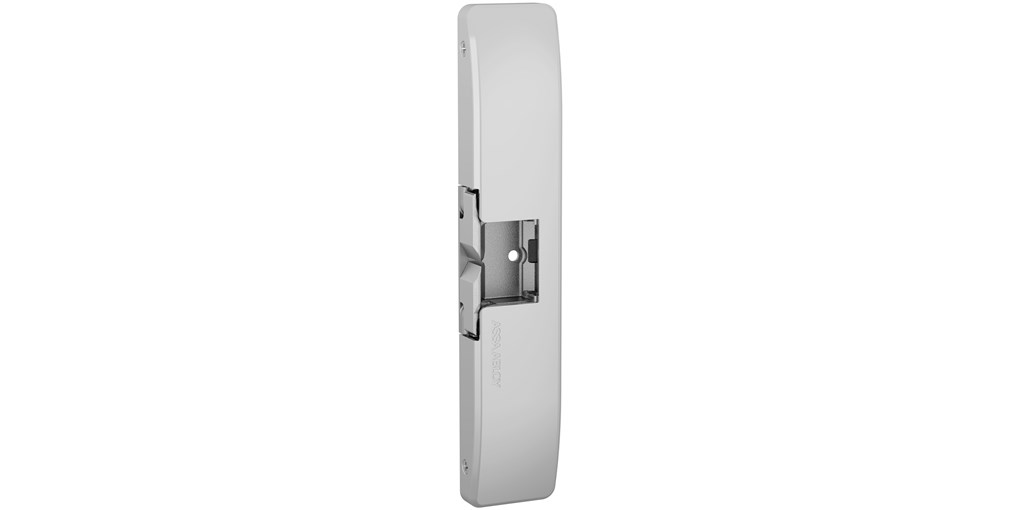
HES 9600 with LBM latchbolt monitoring option
What is the LBM option?
LBM (Latchbolt Monitor) is a built-in switch that detects when the latchbolt is depressed. When the door opens and the latchbolt retracts, the switch changes state, signaling the access control system that the door has moved. LBM provides a SPDT (Single Pole Double Throw) contact with NO and NC outputs.
| LBM Specification | Value |
|---|---|
| Switch Type | SPDT (Single Pole Double Throw) |
| Contact Rating | 1A @ 30VDC |
| Wire Colors | White (COM), Yellow (NO), Orange (NC) |
| Trigger | Latchbolt depression |
What is the LBSM option?
LBSM (Latchbolt Strike Monitor) monitors both the latchbolt position and the strike keeper position. This dual-sensing provides enhanced security feedback—the system knows when the strike releases AND when the door actually opens. LBSM is preferred for high-security applications.
| Feature | LBM | LBSM |
|---|---|---|
| Monitors latchbolt | ✓ | ✓ |
| Monitors strike keeper | ✗ | ✓ |
| Detects forced entry | Limited | Enhanced |
| Security level | Standard | High |
| Wire colors | White (COM), Yellow (NO), Orange (NC) | |
How do I wire the LBM/LBSM monitoring?
Connect the White (Common), Yellow (NO), and Orange (NC) wires to your access control panel's door status input. Use NO or NC depending on your panel's expected input state.
Monitoring Wiring
White Wire → Door Status Common
Yellow Wire → Door Status (if using NO contact)
Orange Wire → Door Status (if using NC contact)
When should I specify LBM vs LBSM?
Use LBM for basic door status logging; use LBSM for high-security applications requiring forced-entry detection.
| Application | Recommended Option |
|---|---|
| Basic access logging | LBM |
| Door-held-open alarms | LBM or LBSM |
| Forced entry detection | LBSM |
| High-security areas | LBSM |
| Cost-sensitive projects | LBM |
How do I order the monitoring option?
Monitoring is a factory-installed option specified when ordering the HES 9600. Add the suffix to the model number: 9600-12/24D-630-LBM or 9600-12/24D-630-LBSM. Monitoring cannot be field-added to standard models.